What is SaaS, and why has this term become such a standard part of everyday business conversation? SaaS stands for Software as a Service, and understanding what SaaS really means comes down to one core shift: instead of buying and installing software directly on your own computer, you access it over the internet, typically through a monthly or annual subscription.
What Is SaaS, in Plain Terms?
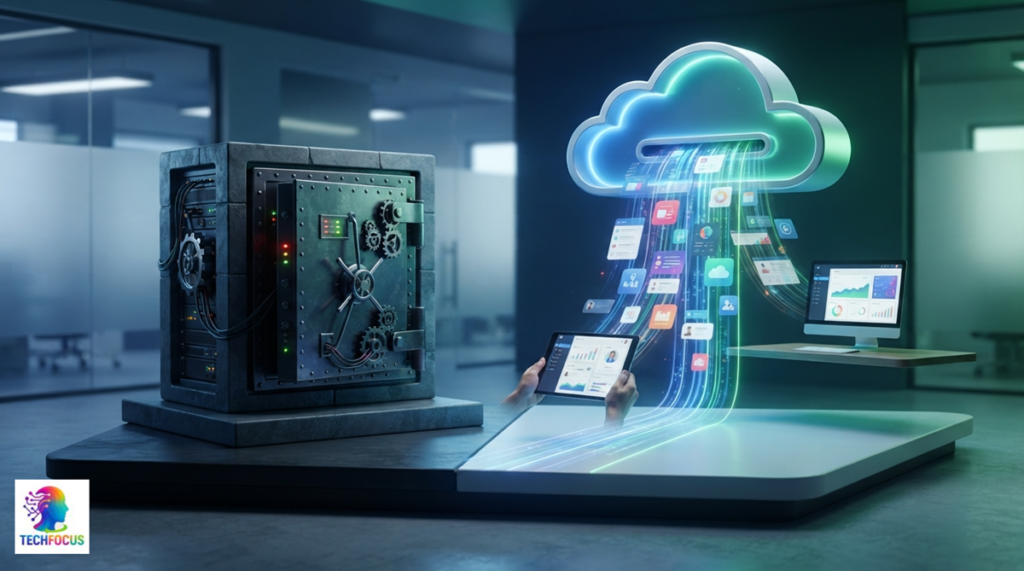
Software as a Service is a way of delivering software in which the application runs on the provider’s servers rather than on your own device, and you access it through a web browser or a lightweight app, usually paying a recurring subscription fee rather than a one-time purchase price.
How Is SaaS Different From Traditional Software?
Traditional software is typically purchased once, installed directly on your specific device, and runs using your own computer’s processing power. SaaS, by contrast, runs on the provider’s infrastructure, updates automatically without you needing to install anything manually, and is generally accessible from any device with an internet connection, not just the one it was originally installed on.
Why Has SaaS Become So Popular?
SaaS removes much of the technical burden that traditional software required: no manual installation, no worrying about compatibility with your specific operating system, and no responsibility for maintaining servers or infrastructure yourself. This lower barrier to entry has made powerful software accessible to businesses that previously couldn’t afford the infrastructure traditional software often required.
What Are the Genuine Advantages of SaaS?
Lower Upfront Costs
SaaS typically requires a smaller upfront investment than traditional software, since you’re paying an ongoing subscription rather than a large one-time license fee, making it more accessible for smaller businesses with limited initial budgets.
Automatic Updates
The SaaS provider handles updates and maintenance automatically, meaning you always have access to the latest version without needing to manually manage software updates yourself.
Access From Anywhere
Since SaaS runs in the cloud rather than on a specific device, you can typically access it from any device with an internet connection, which naturally supports remote work and multiple locations.
Easier Scaling
Adding or removing users from a SaaS subscription is generally much simpler than managing licenses for traditional software installed on individual machines, making it easier to scale up or down as your team’s needs change.
What Are the Genuine Downsides of SaaS?
Ongoing Cost Over Time
While SaaS has lower upfront costs, the recurring subscription fee can add up to more than a traditional one-time purchase over a long enough period, particularly for tools used for many years without significant changes to your needs.
Dependence on Internet Connectivity
Since SaaS generally requires an internet connection to function, unreliable connectivity can directly affect your ability to use the software, unlike traditional software that continues working regardless of your internet status.
Less Control Over Data and Infrastructure
Your data lives on the provider’s servers rather than your own, which means trusting their security practices and being subject to their specific data policies and any changes they might make to them over time.
Does Pricing Structure Differ Meaningfully From Traditional Software?
Yes, considerably. Traditional software typically involves a single upfront license cost, while what is SaaS pricing usually means an ongoing subscription, often billed monthly or annually, sometimes based on the number of users or usage volume rather than a flat one-time fee.
Is All Modern Software SaaS Now?
Not entirely, though SaaS has become increasingly dominant, especially for business software. Some categories, particularly specialised professional software with heavy local processing needs, still commonly use traditional installed models, though even these categories have increasingly shifted toward SaaS or hybrid approaches over recent years.
Does Understanding This Distinction Help With Choosing New Tools?
Yes, genuinely. Knowing what is SaaS versus traditional software helps you ask better questions when evaluating a new purchase about update responsibility, internet dependency, and total cost over time rather than assuming every software product works the same underlying way.
How Do You Know If a Specific Tool Is SaaS?
If you access it through a web browser or a simple app without a lengthy installation process, pay a recurring subscription rather than a one-time fee, and it updates automatically without your manual involvement, it’s almost certainly SaaS rather than traditional software.
Does Understanding What Is SaaS Matter for Regular Employees, Not Just IT?
Genuinely yes. Understanding this distinction helps regular employees make sense of why certain tools update automatically, why access can suddenly change when a subscription lapses, and why internet connectivity issues sometimes directly affect their ability to work, none of which apply the same way to traditional installed software.
Final Answer: Why This Distinction Matters
Understanding what is SaaS ultimately comes down to recognising a fundamental shift in how software gets delivered from something you own and install to something you access as an ongoing service. This distinction affects cost structure, accessibility, maintenance responsibility, and how dependent you are on reliable internet connectivity, all of which are worth understanding clearly before evaluating any specific software purchase.
Frequently Asked Questions
What does SaaS actually stand for?
SaaS stands for Software as a Service, referring to software accessed over the internet through a subscription rather than installed directly on your device.
Is SaaS cheaper than traditional software overall?
Often cheaper upfront, though the ongoing subscription cost can add up to more than a traditional one-time purchase over a sufficiently long period of use.
Does SaaS require an internet connection to work?
Generally yes, since SaaS runs on the provider’s servers rather than locally, meaning connectivity issues directly affect your ability to use the software.
Is all business software SaaS now?
Not entirely, though SaaS has become the dominant model for most business software, with some specialised categories still using traditional installed models.
Who is responsible for updates in a SaaS model?
The SaaS provider handles updates and maintenance automatically, meaning you don’t need to manually manage software updates yourself.